Cross-site scripting, also known as XSS, is one of the most common security risks affecting websites and web applications. For WordPress site owners, agencies, developers, and WooCommerce teams, it is especially important to understand because many WordPress sites rely on plugins, themes, forms, comments, user accounts, and custom functionality.
An XSS attack happens when malicious code, usually JavaScript, is injected into a trusted website and then executed in a visitor’s browser. Instead of attacking the server directly, the attacker uses the website as a delivery mechanism to target users, administrators, customers, or logged-in visitors.
WordPress itself is widely used across the web. As of April 2026, W3Techs reports that WordPress powers 42.2% of all websites and 59.6% of websites with a known content management system. That popularity makes the WordPress ecosystem a frequent target for attackers looking for plugin, theme, and configuration weaknesses.
In this guide, we’ll explain what XSS attacks are, how they affect WordPress sites, where vulnerabilities usually come from, and what you can do to reduce risk.
What is a Cross-Site scripting attack?
Cross-site scripting, or XSS, is a type of injection attack where malicious scripts are added to trusted web pages and run in another user’s browser. It usually happens when a website displays user-submitted input without properly validating, sanitizing, or encoding it.
In a normal browsing session, visitors trust the website they are using. Their browser loads the page, runs its scripts, stores cookies, and sends authenticated requests. In an XSS attack, the attacker abuses that trust. They inject code into a page or request so that the browser treats the malicious script as if it came from the legitimate website.
For WordPress, this can happen through vulnerable plugins, themes, custom code, forms, URL parameters, comments, profile fields, admin pages, or any feature that accepts and displays user-controlled data.
Why WordPress sites are targeted by XSS attacks
WordPress is not targeted because it is inherently insecure. It is targeted because it is popular, extensible, and often customized.
Most WordPress sites are not just a clean WordPress installation. They usually include:
- plugins
- themes
- page builders
- contact forms
- tracking scripts
- custom post types
- third-party integrations
- WooCommerce extensions
- membership or LMS functionality
- custom code added by agencies or freelancers
Each of these can introduce input fields, settings pages, shortcodes, AJAX endpoints, REST API routes, or front-end output. If that data is not handled safely, an XSS vulnerability can appear.
This is why XSS prevention is not just a hosting issue or a plugin issue. It is a full-stack WordPress security concern.
How XSS attacks work in WordPress
An XSS vulnerability usually appears when a website accepts data from a user, stores or processes it, and later displays it without proper escaping.
For example, there are plugins that allow users to submit profile information. If the plugin accepts a display name, bio, or website field and outputs it directly into a page without escaping it, an attacker may be able to insert JavaScript instead of normal text.
That script could then run when another visitor, editor, or administrator views the page.
In WordPress, XSS risks can appear in places such as search boxes, comment fields, contact forms, user profile fields, plugin settings pages, admin notices, custom widgets, shortcode output, WooCommerce account pages, membership dashboards, AJAX and REST API responses.
The vulnerability is not always obvious. A form may look harmless, but if its output is displayed in the wrong context without escaping, it can become dangerous.
Types of Cross-Site scripting attacks
XSS attacks are usually grouped into three main categories:
Stored XSS happens when malicious code is saved on the website, for example in a database field, comment, profile field, or plugin setting, and later shown to other users.
Reflected XSS happens when malicious code is included in a request, often through a crafted URL, and immediately reflected back in the page response.
DOM-based XSS happens in the browser when unsafe JavaScript modifies the page using untrusted data.
Each type works differently, but the underlying issue is similar: untrusted data is handled in a way that allows a browser to run it as code.
For a deeper breakdown of how each attack works, read our guide to the types of cross-site scripting attacks.
What can happen after an XSS attack?
The impact of an XSS attack depends on who is targeted and what the malicious script can access.
A basic attack may redirect users to a spam page. A more serious attack may target logged-in administrators, steal session information, modify content, inject malicious links, or perform actions on behalf of the victim.
Possible consequences include:
- account takeover
- session hijacking
- stolen cookies or tokens
- malicious redirects
- phishing pages
- spam injection
- defaced content
- unauthorized admin actions
- compromised customer trust
- SEO damage
- WooCommerce checkout disruption
- exposure of sensitive user data
For a simple blog, the impact may be reputational. For a WooCommerce store, membership site, media publisher, or enterprise WordPress installation, the business risk can be much higher.
Common causes of WordPress XSS vulnerabilities
We’ll cover the practices that help prevent these issues in more detail in the next section.

Outdated plugins and themes
Many WordPress XSS vulnerabilities come from plugins and themes that have not been updated. When a vulnerability is publicly disclosed, attackers often scan the web for sites still running affected versions.
Keeping WordPress core, plugins, and themes updated is one of the simplest and most effective ways to reduce risk.

Poor input validation
Input validation means checking whether submitted data matches what the application expects.
For example, if a form field asks for an email address, the application should check that the submitted value is actually an email address. If a field expects a number, it should reject unexpected text or script-like input.
Validation helps reduce bad data before it enters your application.

Missing sanitization
Sanitization means cleaning submitted data before storing or processing it.
In WordPress development, sanitization is especially important when saving data from forms, settings pages, metadata fields, or user-submitted content.
Sanitization does not replace escaping. It is one layer of protection.

Missing output escaping
Output escaping is one of the most important XSS prevention techniques.
Escaping makes sure that dynamic data is displayed as data, not interpreted as executable code. WordPress specifically describes escaping as securing output before it is rendered to the end user.
For example, if a user submits text containing special characters like <, >, or ", escaping ensures those characters are safely displayed instead of being treated as HTML or JavaScript.
OWASP also emphasizes context-aware output encoding as a core defense against XSS.

Too many user roles with HTML permissions
Some WordPress roles and capabilities allow users to publish richer content. If too many people have elevated permissions, the risk increases.
This is especially important for:
- multi-author blogs
- editorial teams
- membership sites
- LMS platforms
- marketplaces
- WooCommerce stores with staff accounts
- agency-managed client sites
Follow the principle of least privilege. Give users only the permissions they actually need.

Vulnerable custom code
Custom themes, custom plugins, shortcodes, and page templates can introduce XSS if they do not follow WordPress security practices.
This is common when developers output values from custom fields, query strings, post meta, options, or user input without escaping.
Any custom code that accepts or displays data should be reviewed for validation, sanitization, escaping, nonce checks, and capability checks.
How to prevent XSS in WordPress
There is no single setting that can fully prevent cross-site scripting. XSS protection depends on a combination of secure code, regular maintenance, careful permissions, and infrastructure-level protection.
Here are the most important steps.
1. Keep WordPress core, plugins, and themes updated
Many WordPress XSS vulnerabilities come from outdated plugins and themes. When a vulnerability becomes public, attackers often scan for sites that are still running affected versions.
Keep WordPress core, plugins, and themes updated, especially when security fixes are released. For business-critical sites, use a staging environment first so updates can be tested before going live.
2. Use trusted plugins and remove abandoned ones
Every plugin adds code to your site. That does not mean plugins are bad, but it does mean they should be chosen carefully.
Before installing a plugin, check when it was last updated, whether it supports your WordPress version, and whether the developer appears active. Remove plugins and themes you no longer use, especially abandoned ones.
A smaller, well-maintained WordPress stack is easier to secure.
3. Validate, sanitize, and escape data properly
Most XSS issues happen because untrusted data is accepted, stored, or displayed incorrectly.
For developers, three practices matter most:
Validate input to make sure submitted data matches what is expected. For example, an email field should only accept a valid email address.
Sanitize data before saving or processing it, so unsafe or unexpected content is cleaned up.
Escape output before displaying dynamic data on a page, so user-controlled content is shown as text instead of being interpreted as executable code.
A simple way to think about it is: validate and sanitize data when it comes in, escape it when it goes out.
4. Limit User Permissions and HTML Access
Not every user needs the ability to publish HTML, edit theme files, manage plugins, or access advanced settings.
Review user roles regularly and follow the principle of least privilege. Give users only the access they need to do their work.
This is especially important for multi-author blogs, WooCommerce stores, LMS sites, membership sites, and agency-managed WordPress installations.
5. Protect forms, comments, and user-generated content
Any feature that accepts user input can become a potential XSS entry point.
Pay close attention to: contact forms, search fields, comments, reviews, testimonials, user profiles, WooCommerce account areas, membership dashboards, custom front-end submission forms.
Use well-maintained plugins for these features, keep them updated, and avoid allowing raw HTML unless it is absolutely necessary.
6. Add browser and firewall-level protection
A Content Security Policy can help reduce the impact of certain XSS attacks by controlling which scripts and resources the browser is allowed to load. It should be tested carefully, especially on WordPress sites that rely on analytics, ads, embeds, payment tools, or third-party scripts.
A Web Application Firewall adds another layer by filtering suspicious requests before they reach WordPress. A WAF will not fix vulnerable code, but it can help block known exploit patterns, malicious payloads, bots, and automated scans.
7. Choose a secure WordPress infrastructure
Security should not depend only on plugins inside WordPress. A secure WordPress hosting environment should include firewall protection, malware monitoring, backups, staging, SSL support, isolation, and expert support from people who understand WordPress.
For high-traffic, WooCommerce, agency-managed, or business-critical sites, infrastructure-level protection becomes even more important because attacks, traffic spikes, and plugin vulnerabilities can have a much larger impact.
Should you use a WordPress XSS prevention plugin?
Some WordPress security plugins can help reduce exposure to specific XSS attack patterns, especially attacks that rely on suspicious URL parameters or unsafe characters in requests.
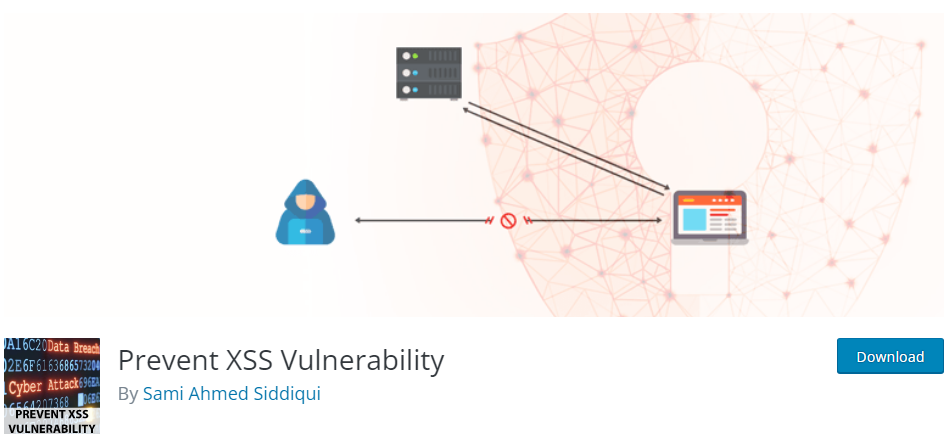
For example, the Prevent XSS Vulnerability plugin is designed to help block and encode certain suspicious entities in URLs and escape HTML submitted through the $_GET parameter.
This can provide an additional layer of filtering against some reflected XSS attempts.
However, it should not be treated as complete XSS protection. Plugins should support good security practices, not replace them.
So, if you use a plugin like this, treat it as one small part of a broader security strategy.
Checklist: WordPress XSS prevention
Use this checklist to reduce your risk:
- Keep WordPress core updated
- Update plugins and themes quickly
- Remove unused plugins and themes
- Avoid abandoned plugins
- Use trusted developers for custom code
- Validate user input
- Sanitize data before saving it
- Escape output before displaying it
- Review forms, comments, profile fields, and reviews
- Limit administrator access
- Use strong passwords and two-factor authentication
- Restrict who can publish HTML
- Add a Content Security Policy where possible
- Use a Web Application Firewall
- Monitor known plugin and theme vulnerabilities
- Choose secure WordPress hosting
- Keep reliable backups
How Pressidium helps protect WordPress sites against cross-site scripting
XSS prevention starts inside WordPress, but protection should not stop there.
Secure code, updated plugins, safe themes, validation, sanitization, and escaping are essential. WordPress sites also need protection at the infrastructure level, before malicious requests reach the application.
For Pressidium customers, security is built into the platform. Sites benefit from a managed Web Application Firewall layer, expert WordPress support on all plans from the same people who built the platform, backups, platform-level monitoring, and an architecture designed for performance and resilience.

Pressidium EDGE extends this protection by processing traffic before it reaches the origin infrastructure. EDGE is Pressidium’s WordPress-tuned global edge platform, designed to accelerate, protect, and stabilize WordPress traffic before it reaches the server.
Pressidium EDGE includes a WordPress-tuned WAF designed to help block common web application attacks and known WordPress exploit patterns, along with virtual patching, DDoS mitigation, bot mitigation, IP and geo controls, global routing, load balancing, and origin shielding.


For sites hosted elsewhere, Pressidium EDGE is also available through EDGE Only (currently in Early Access).
EDGE Only is the standalone version of Pressidium EDGE. It sits in front of the existing hosting environment, allowing WordPress sites to get all Edge benefits without the need for migration.
This does not replace good WordPress security practices. The strongest approach is to combine site-level security with edge-level protection, so malicious traffic can be filtered earlier while WordPress remains properly maintained, updated, and securely configured.
And here is all you need:
⬇️Free PDF: Use our WordPress security checklist to stay consistent with essential security tasks, including WordPress, plugin, and theme updates, 2FA, strong passwords, login protection, malware scans, SSL checks, backup testing, and inactive plugin cleanup.
Experience Pressidium EDGE
A unified, WordPress-tuned edge platform that delivers world-class acceleration, protection, and stability – automatically.
Frequently asked questions
WordPress sites can be vulnerable to XSS when plugins, themes, custom code, forms, or user-generated content are not handled securely. WordPress core provides many security functions, but developers and site owners still need to follow safe practices.
Yes. A plugin can introduce XSS if it accepts user input and displays it without proper validation, sanitization, or escaping. This is why plugin quality, maintenance, and updates matter.
The best approach is layered protection. Keep WordPress updated, use trusted plugins, validate and sanitize input, escape output, limit permissions, protect forms, use a WAF, and host your site on secure WordPress infrastructure.
No. A WAF can block many malicious requests and known exploit patterns, but it does not replace secure code, updates, or correct output escaping. It should be used as one layer in a broader security strategy.
Pressidium EDGE replaces much of the need for separate CDN, WAF, bot protection, and DDoS mitigation tools by moving protection to the edge. However, WordPress security still requires good site maintenance, secure code, updates, and responsible plugin management.
Yes. EDGE Only is the standalone version of Pressidium EDGE that works with any hosting provider. It is activated through DNS and sits in front of the existing origin infrastructure.
Start Your 14 Day Free Trial
Try our award winning WordPress Hosting!