Why we built it
One of the most common causes of slow WordPress sites is asset bloat. Themes load large files, plugins insert their own scripts, and images remain uncompressed. After a while, the pages become sluggish and performance issues begin to show. Users notice it, you notice it, and fixing it becomes time-consuming.
Fixing this should be simple. But most performance plugins try to do too many things at once. As a result, their overlapping features often lead to broken layouts, missing scripts, and long debugging sessions.

We wanted something different.
A performance tool that focuses on the highest-impact optimizations and provides features that do not overlap.
And we are proud to say that the Pressidium Performance plugin does exactly that.
It’s a free and open source tool designed to make your WordPress site faster through clean and simple optimizations. A simple tool that delivers real performance gains based on real user needs and backed by the Pressidium standard for quality and stability.
So let’s zoom in and see how it approaches performance.
The plugin’s impact on performance
The plugin provides client-side optimizations you can benefit from right away, focusing on three essential areas that significantly affect speed:

✓ Image optimization
✓ Minification of CSS and JavaScript
✓ Concatenation of CSS and JavaScript
Simple, client-side optimizations you can use right away.
How this affects Core Web Vitals
The optimizations provided by the Pressidium Performance plugin align directly with Google’s Core Web Vitals, focusing on the areas that most commonly slow WordPress sites down.
- Largest Contentful Paint (LCP)
Image optimization reduces image weight and serves modern formats, helping the main content load faster. - Interaction to Next Paint (INP)
Minification and optional concatenation reduce JavaScript and CSS payloads, lowering main-thread work during user interactions.
All optimizations run in the background, so visitors are not slowed down by heavy processing during page load.
Validated in real WordPress environments
We tested the plugin on content-driven WordPress sites with unoptimized images and third-party assets. After enabling image optimization and minification, the page showed measurable improvements in load performance and Core Web Vitals scores.
See the next sections for real before-and-after examples.
If you want to explore it on your own, the Pressidium Performance plugin is available in the WordPress Plugin Directory.
👉 Try it today and get your quick wins. The plugin is completely free and open source.
How the plugin optimizes images, CSS, and JavaScript
Let’s take a closer look at the core features.
Image optimization
The images used on a web page often account for more than half of its total weight.
The Pressidium Performance plugin improves your site’s speed by compressing and converting images to modern formats like WebP or AVIF (Google’s WebP compression study shows that WebP gives additional 25% – 34% compression gains compared to equivalent JPEGs).
But there is more you can configure.
You can choose whether to optimize images automatically as soon as you upload them, decide whether to keep or delete the original files, and select which image editor you prefer (Imagick or GD).
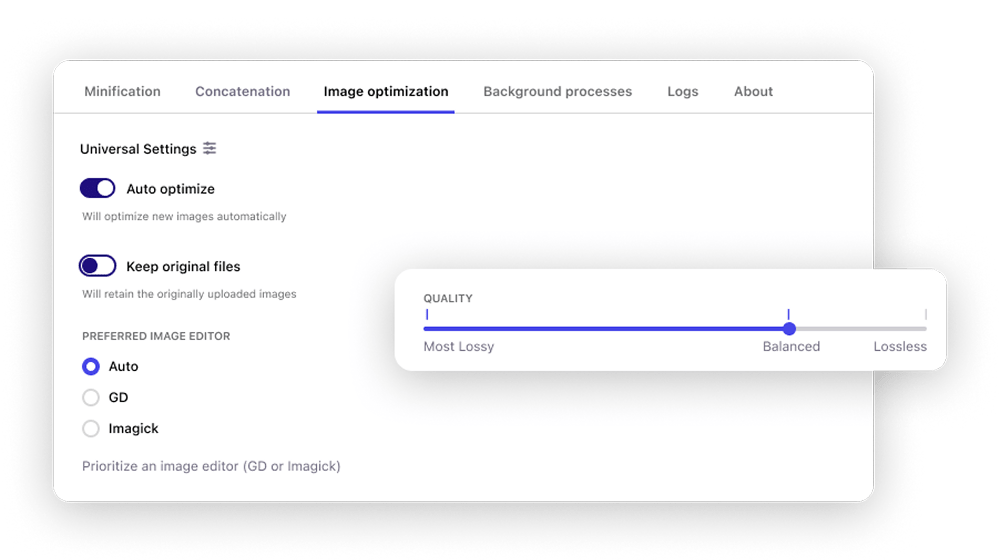
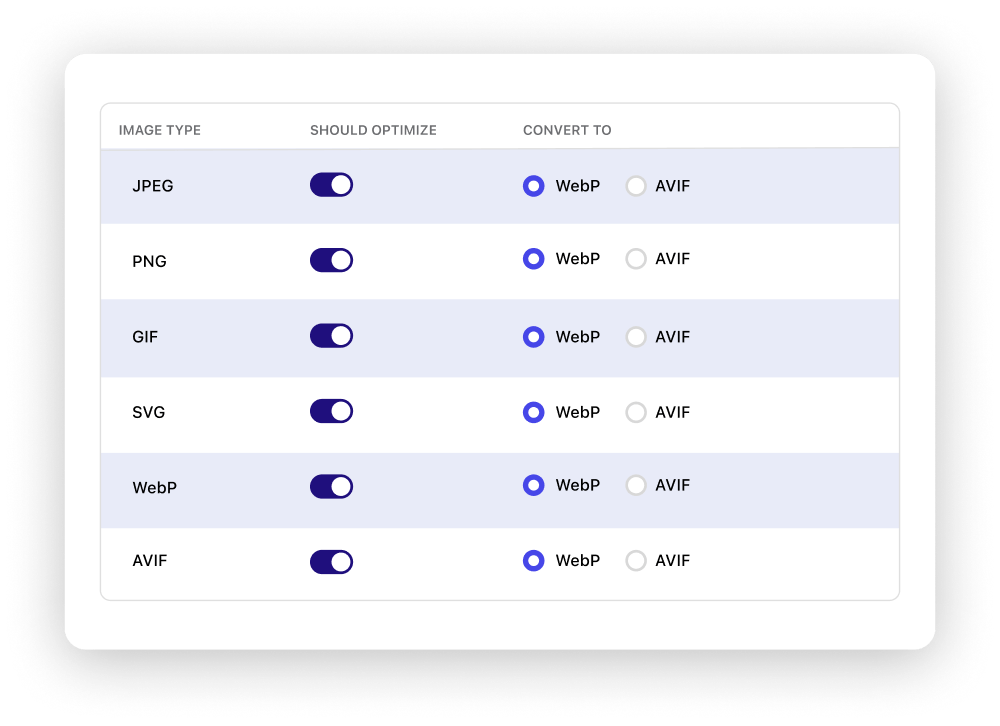
You also control the quality level. You can pick between smaller file sizes or higher visual fidelity and specify what image types to optimize.
And if certain images should not be touched, you can always exclude them with either absolute URLs or regular expressions.
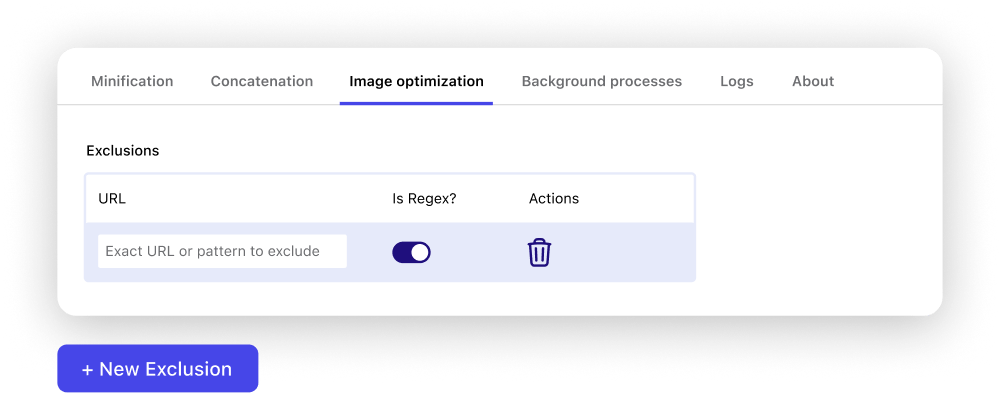
In short, the plugin handles the heavy lifting for you and keeps your Media Library lighter without noticeable loss in quality.
🧪 Image optimization example
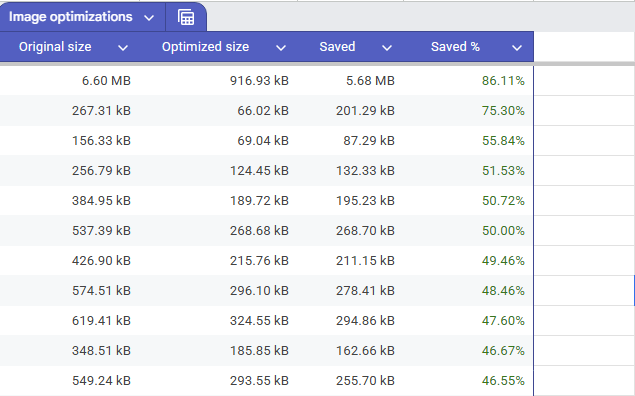
We converted 70 randomly selected JPEG images (not curated for the demo) using the Pressidium Performance plugin. This resulted in 13.1 MB of total savings, with individual image size reductions of up to 86%.
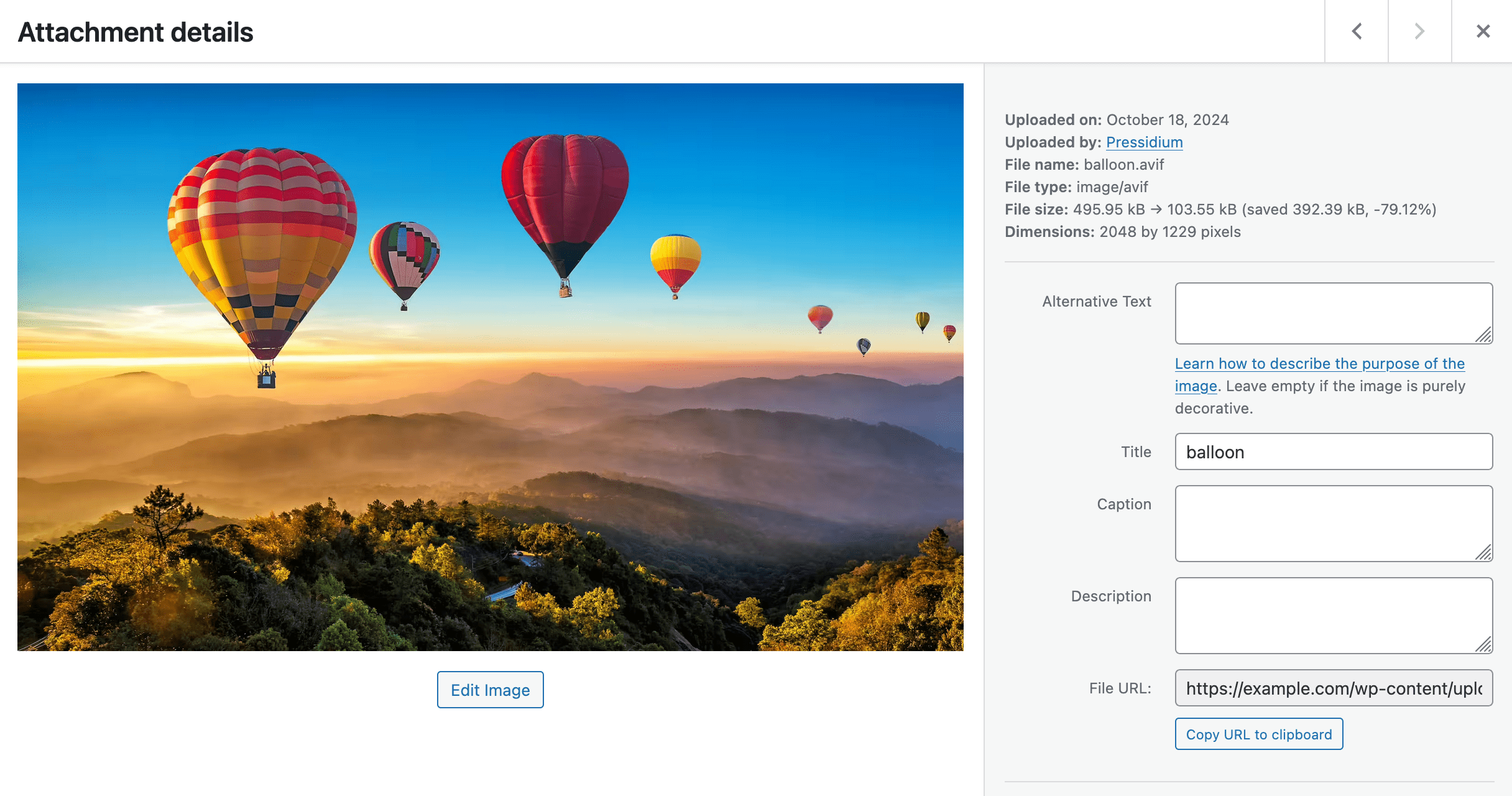
Optimized version generated by the Pressidium Performance plugin
Next, we examine how the plugin trims your assets without changing your workflow.
Minification
The plugin speeds up your pages by reducing the size of your JavaScript and CSS files. As pages are requested, it analyzes their markup, finds unminified assets, and creates lighter versions in the background. Once a file is minified, the plugin serves the optimized version automatically on future requests.
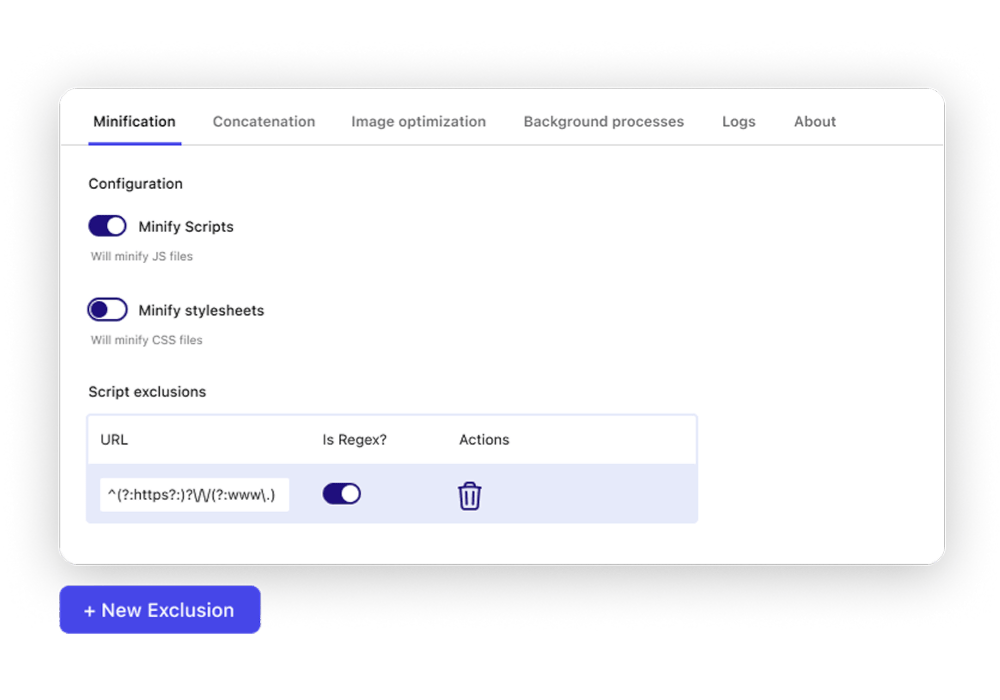
Just like with images, you can exclude specific scripts or styles using direct URLs or regular expressions, even set exclusions programmatically through filters. The plugin also avoids touching files that are already minified or empty, and stores optimized files in a dedicated folder under /wp-content/uploads/.
To keep things efficient, each minified file has a time-to-live of seven days. After that, the plugin checks if the original file has changed and refreshes the minified version only when necessary.
🧪 Stylesheet minification example
Below, we compare uncompressed CSS files with the optimized version. The optimized file is minified to remove unnecessary spacing and reduce file size.
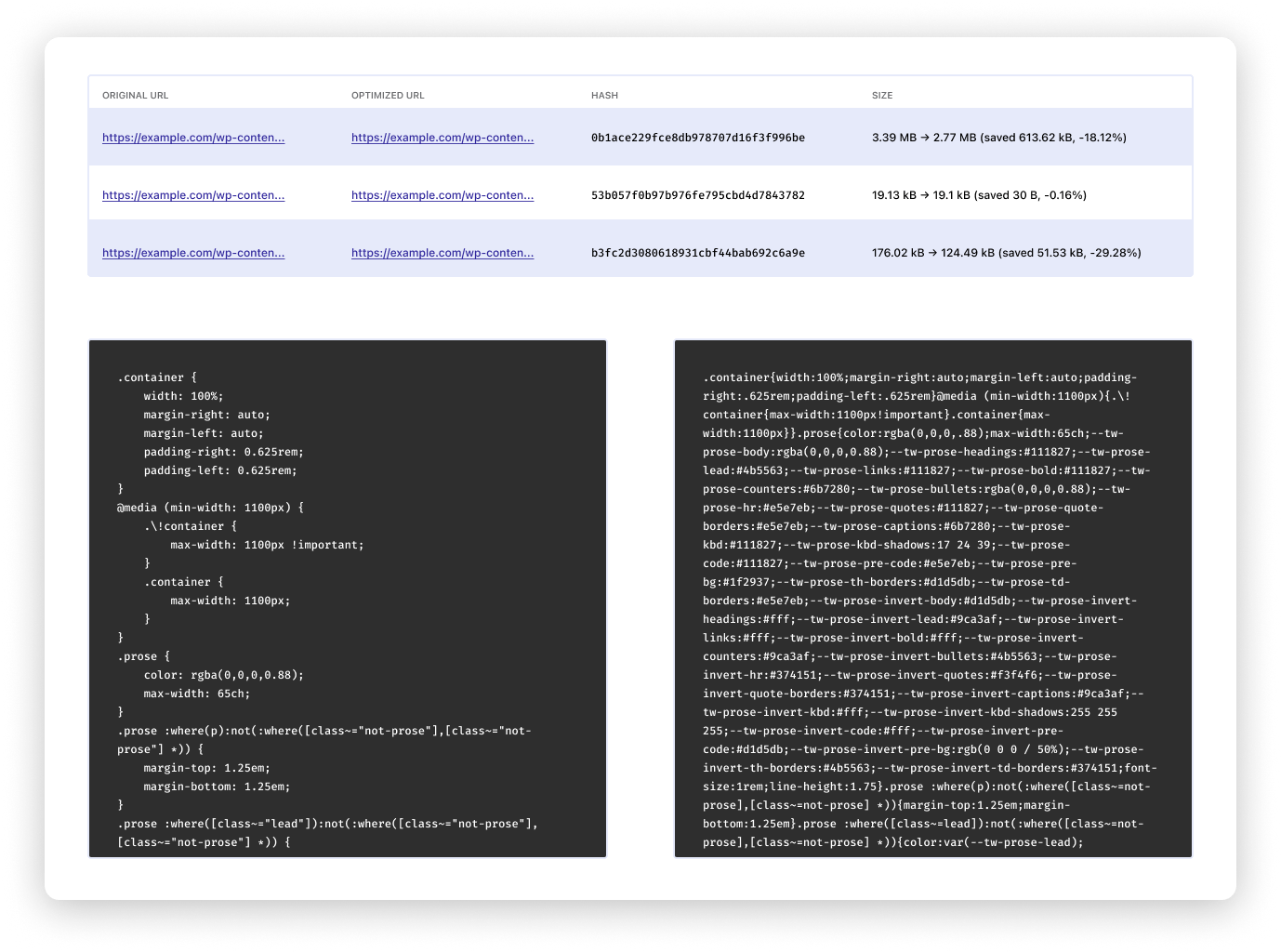
Review the Size column to see how much each stylesheet was reduced. Larger savings usually mean the file had more room for optimization, while very small savings can indicate that the file was already well compressed.
When you need an extra boost, the plugin also allows you to combine assets.
Concatenation (beta)
The plugin can merge multiple JavaScript or CSS files into a single file to reduce the number of HTTP requests your pages make. This can improve loading times, especially on sites with many small assets or environments still using HTTP/1.1.
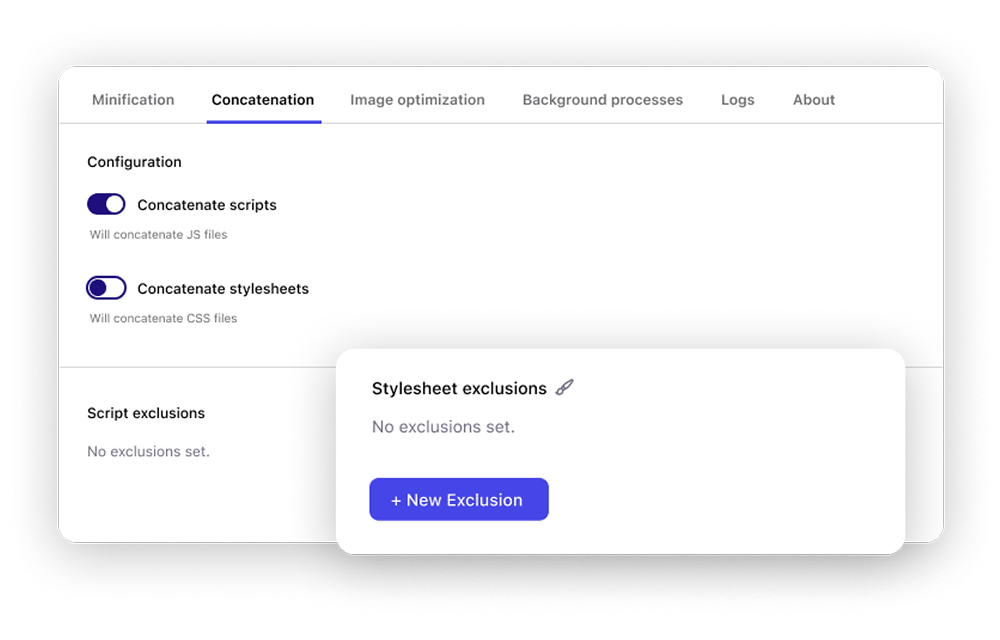
Once again, you can exclude any script or style from concatenation using URLs, regular expressions, or filters.
This feature is marked as beta because combining assets can sometimes break things. It stays off by default, and you decide when to enable it.
As always, we strongly recommend enabling and testing optimizations in a staging environment first. This allows you to verify that scripts and styles load correctly before applying the change on a live site.
When a page loads, the plugin groups files by type and computes a combined hash based on their URLs.
🧪 Concatenation example
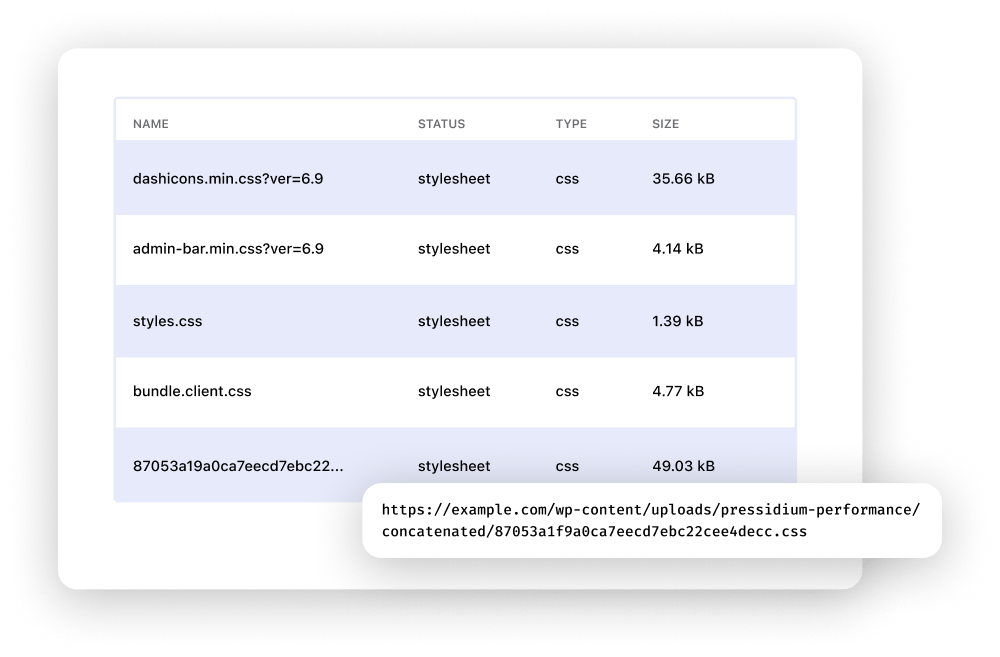
If a matching concatenated file already exists, it serves it immediately. If not, it generates a new merged file in the background and stores it safely in the uploads directory.
Concatenation gives you an extra performance boost when used carefully, and the plugin’s design keeps the process easy to manage.
Non-blocking background processing
The plugin runs all optimization tasks in the background, so your site stays responsive while work is being done.
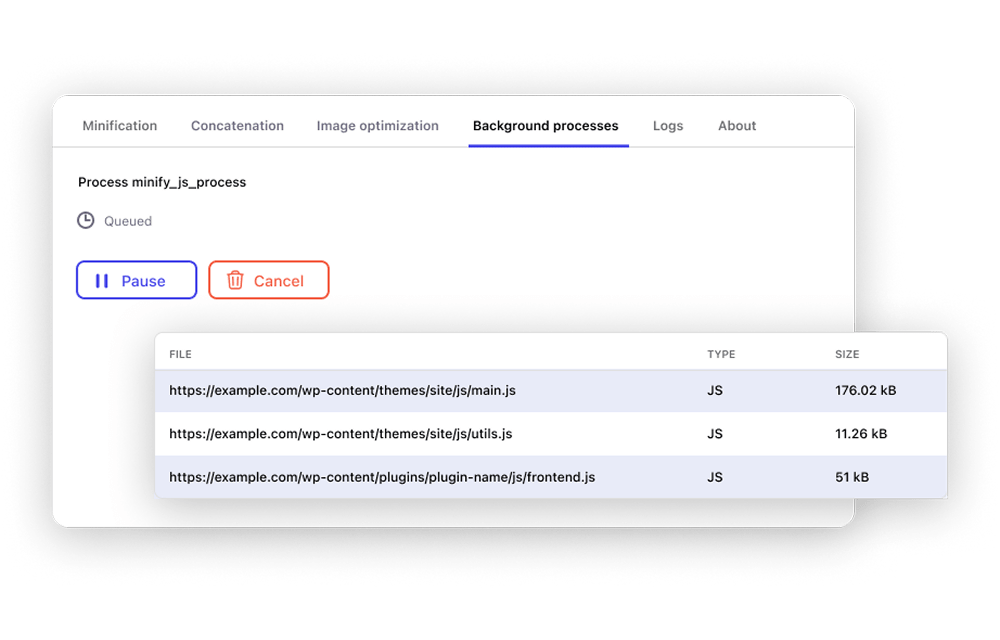
You can monitor all these tasks from the Background Processes tab in the plugin settings. This tab shows which tasks are queued, which are currently running, and which are paused or completed.
That way you get a clear view of what the plugin is working on and stay in control from a single, simple screen.
Background tasks run behind the scenes so your site stays responsive during processing.
Are you ready to see this for yourself? Here is how to use the plugin.
Installing the Pressidium Performance plugin
As usual, you can install the plugin automatically through WordPress.
Automatic installation
- Go to your WordPress admin dashboard.
- Open the Plugins menu.
- Search for “Pressidium Performance“.
- Click “Install Now”.
- Activate the plugin once the installation finishes.
Once the plugin is activated, you can find all its settings under the “Performance” menu item.
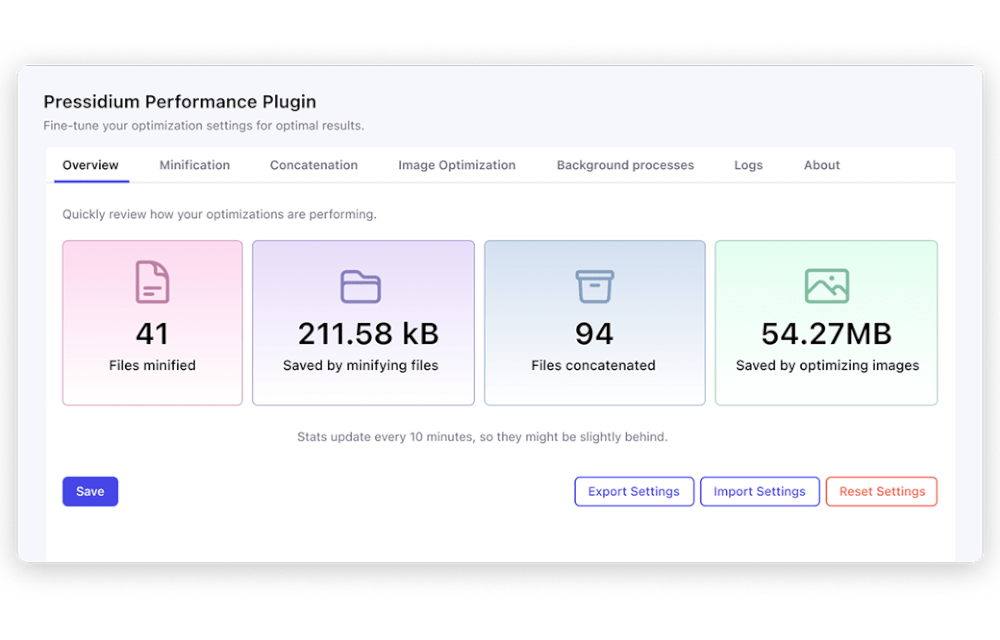
This lands you on the plugin’s clean Overview tab, where you can see your optimization status and how each feature is performing at a glance.
🛠️ Developer’s experience and insights
The Pressidium Performance plugin is built to be modular and easy to extend. Its structure keeps responsibilities separate, which makes it simple to integrate into custom themes and complex environments.
Developers can control behavior programmatically through clear WordPress filters. These include:
- Minification exclusions
- Concatenation exclusions
- Image exclusions
- Image compression quality
- Minification time to live
The server-side logic is carefully structured. Background tasks use asynchronous handlers and process work in small chunks, so that they won’t slow down your pages.
The codebase is easy to understand, extend, and maintain. The plugin avoids risky shortcuts and allows us to introduce new optimizations over time without compromising stability.
Engineered with the Pressidium quality standard
If you are familiar with Pressidium, you know that we build our products with safety, clarity, and reliability in mind. The Performance plugin follows the same philosophy.
✓ It avoids fragile page rewrites where possible.
✓ Higher risk optimizations are disabled by default and clearly marked.
This approach keeps performance improvements controlled while reducing the risk of unexpected side effects.
Get involved
We are proud to release the Pressidium Performance plugin and we invite the WordPress community to share feedback and contribute their ideas.
You can:
- Report issues
- Suggest features
- Review code
- Submit pull requests
We welcome your input and encourage you to join the project on GitHub and help shape the next versions of the plugin.
Turn speed into long-term stability
Speed is more than smaller files and fewer requests. The Performance plugin helps you optimize your assets, but no plugin can replace the server’s role as a strong foundation in performance. This is where Pressidium EDGE comes in, delivering those optimized assets across six continents with a guaranteed Time to First Byte up to 4,7 times faster than the advanced legacy Pressidium architecture.
Beyond speed, Edge protects your site from threats before they reach your server. It balances traffic intelligently. It keeps your site available through spikes and failures.
Together, the Performance plugin and Edge satisfy both client-side and server-side responsibilities towards WordPress speed and create a performance environment that stays fast, safe, and stable everywhere.
Take the next step
- Try the Pressidium Performance plugin today and see the difference on your site.
- Explore Pressidium Edge to upgrade your entire performance stack with global delivery, built-in security, and consistent low latency.
Start Your 14 Day Free Trial
Try our award winning WordPress Hosting!





Practical resources to improve WordPress performance
⬇️PDF: Test and measure WordPress speed correctly using PageSpeed Insights, GTmetrix, and WebPageTest, then track TTFB, LCP, INP, CLS, and real-world Core Web Vitals to confirm caching improvements.
⬇️PDF: Apply proven client-side performance quick wins, including browser caching, asset minification, image optimization, CDN usage, and render blocking fixes that amplify the impact of caching plugins.